
Find a specific lesson
Choose Aerobatics, Formation, Instruments, Low Levels, or Patterns & Landings. Browse the grouped lesson menu or search within a concept by title or study topic.
Concepts for T-6 and UPT study
Study T-6 aerobatics, formation, instruments, low levels, and patterns and landings with searchable lessons, complete explanations, and official source links.
Work through explanations, setup, sequence, and decision cues in one lesson. Expand the supporting sources to verify the published guidance.
Inside Concepts
Browse Aerobatics, Formation, Instruments, Low Levels, and Patterns & Landings. Find a lesson and work through the explanation, setup, sequence, and decision cues.
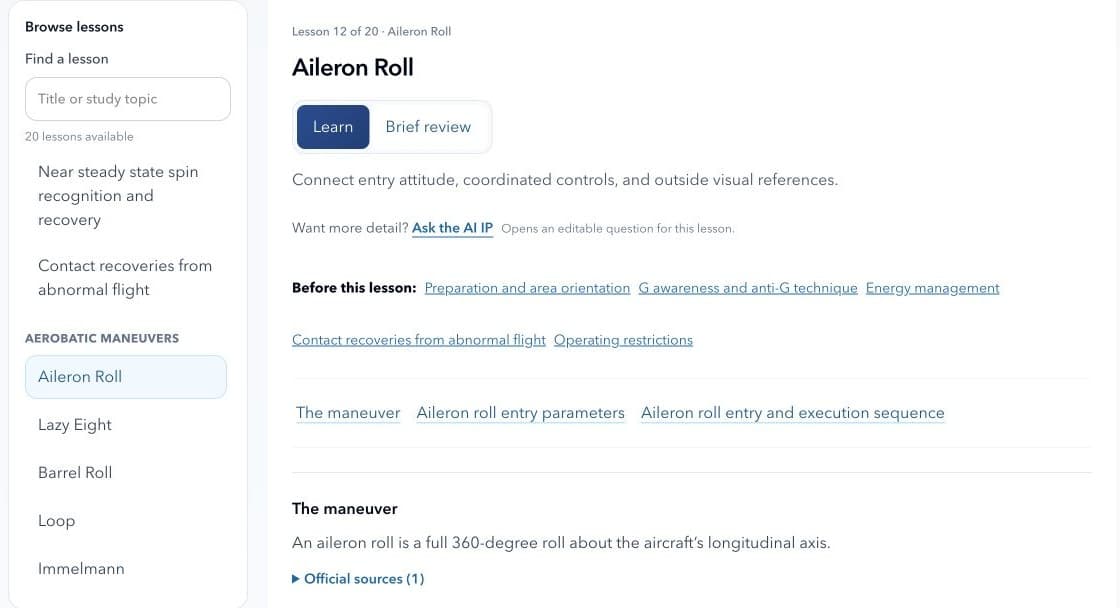
Browse or search within a concept. Choose a lesson from the grouped menu, or search by title or study topic.
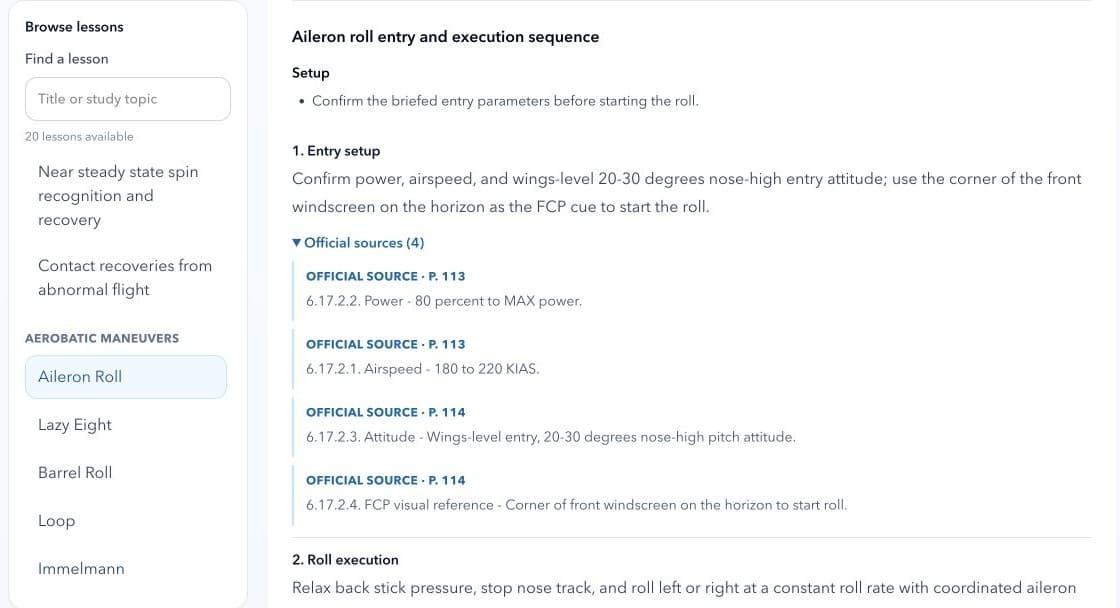
Expand Official sources to read the supporting excerpts and page references. Open a source link to continue in the publication-based Focus reader.
Why it matters
Choose Aerobatics, Formation, Instruments, Low Levels, or Patterns & Landings. Browse the grouped lesson menu or search within a concept by title or study topic.
Read explanations, procedure steps, and common mistakes together. Review setup, sequence, and decision cues, with conditions and exceptions kept alongside the guidance.
Expand Official sources to read excerpts and page references, then open the linked material in Focus. Use Ask the AI IP to start an editable question about the selected lesson.
In practice
Choose a concept and a lesson, then use the learning and review views to study the material with its supporting sources.
Choose a T-6 concept
Browse or search for a lesson
Read the lesson explanation
Review setup, sequence, and decision cues
Expand Official sources and open the supporting publication in Focus
Ask the AI IP a follow-up about the lesson
FAQ
Send app feedback, FAQ questions, and feature requests to ski.to.dev@gmail.com.
Concepts currently covers Aerobatics, Formation, Instruments, Low Levels, and Patterns & Landings. Each concept has a grouped lesson menu and a lesson search.
Each lesson brings together explanations, procedure steps, common mistakes, setup, sequence, and decision cues. Expand Why it works for deeper reasoning and Official sources for supporting evidence. Conditions and exceptions stay alongside the guidance.
Expand Official sources beneath a lesson point to see supporting excerpts and page references. Select a source link to open the relevant material in the Focus reader. Official publications, instructor guidance, and local procedures remain the authority.
Yes. Ask the AI IP opens AI Instructor with an editable question about the selected lesson. You can adjust the question before sending it and return to the lesson afterward.
Texan Trainer is a study companion for UPT and T-6 students. It does not replace official publications, instructor guidance, or local procedures.